
One workspace. A whole world ahead.
Build Your Own World Online
Terrumi is a creative worldbuilding playground in your browser. Choose a planet, find a place and build it with terrain, trees, towns and waterways.
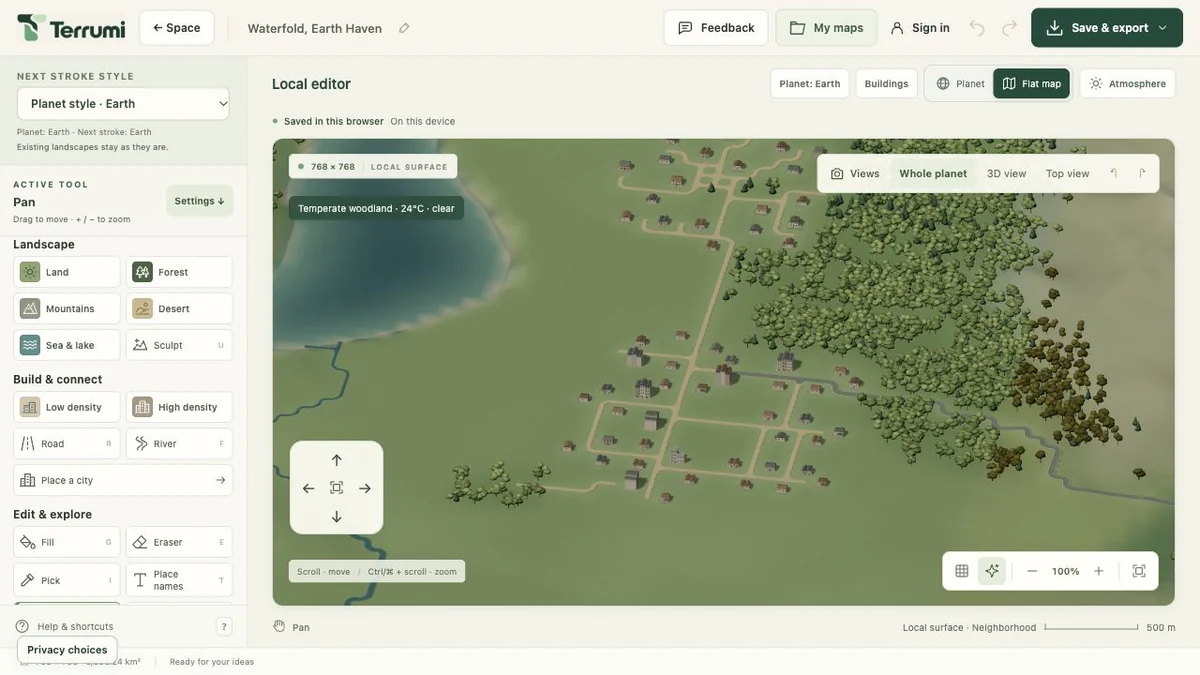
Tools that follow
your imagination.
Work on the landscape, then bring its details closer. Each group of tools has a clear part in the process.
Shape the landscape
Draw land and water, adjust elevation and control tree cover. Build broad regions or work on the edge of a small clearing.
- Land, forest and mountains
- Desert, seas and lakes
- Sculpt height and trace rivers
Build and connect
Place individual buildings or use the city planner. Give a settlement a footprint and connect it to nearby places.
- Low and high building density
- City area and population targets
- Roads, paths and river bridges
Refine and explore
Look from above or orbit in 3D. Adjust your view, inspect an area and return to the details that need attention.
- Planet and flat-map views
- Pan, orbit and zoom controls
- Undo, redo and optional labels
From the whole to the particular
A planet to explore.
A place to shape.
Space brings your available planets together around Vega. Open a planet, choose a place and begin working on its surface.
Use the planet view for the broader picture and the flat map for local work. Zoom closer to inspect buildings, trees and the connections between them.
Get ideas for your landscape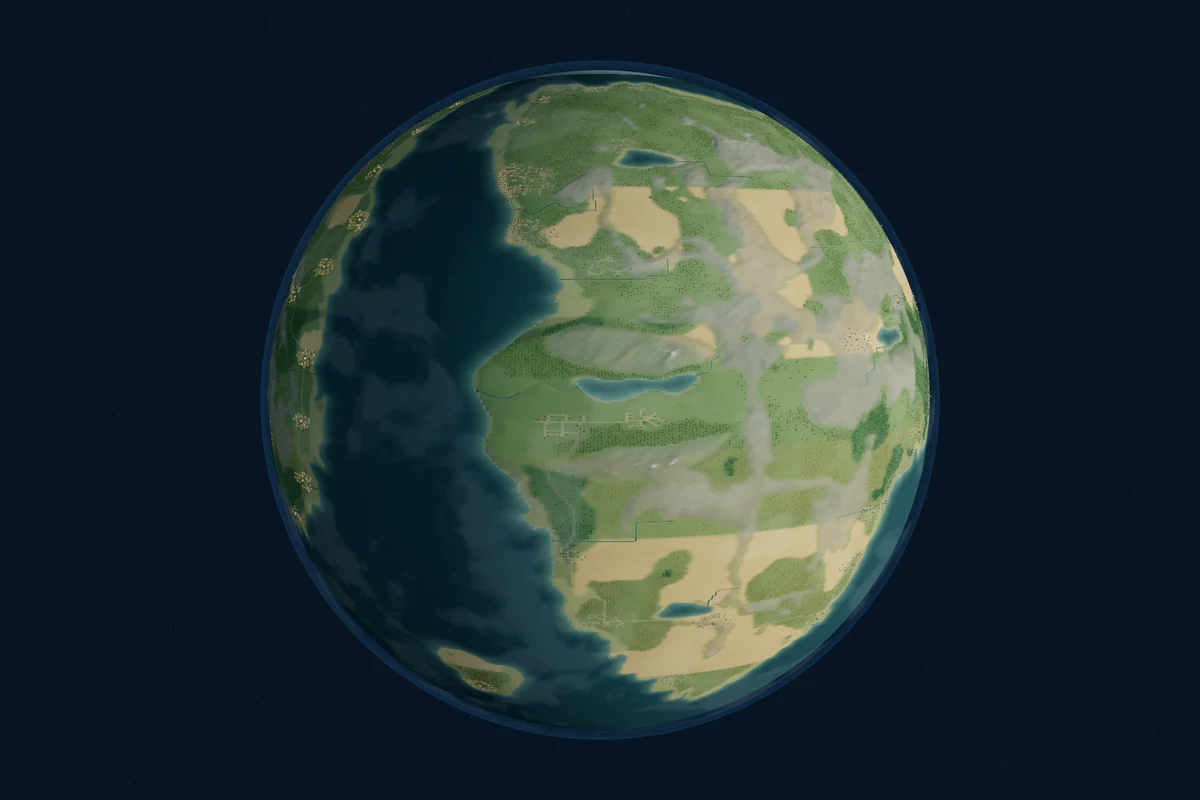
Try. Adjust. Keep going.
Make room
for another idea.
Drawing shows a preview of the stroke. The change is applied when you release, and Undo lets you remove a complete stroke. Redo brings it back.
Use Next stroke style to pick Earth, Sylvaria, Embervale or Astralume for the next elements you place. Mix their architecture and vegetation while keeping earlier work intact.
Set the mood of a place.
Atmosphere controls let you change the visual setting with seasons, time of day, temperature and weather. Try a different light while you explore the same landscape.
Terrumi is a creative map editor. City population figures are planning estimates; they do not represent a live population simulation.
Your work,
ready to return to.
Begin in the browser, keep an editable backup and use your account when you want a cloud copy.
Browser draft
Completed edits save as one draft on this device. Export it before replacing the draft or clearing browser data.
Editable project
Save the map as JSON from Save & export. Open that project later to continue working on its terrain and objects.
Cloud maps
Sign in, choose Save a cloud copy and confirm the account. Return to saved worlds through My maps or Space.
You can also export a PNG of the current 3D view. See the saving steps.
Make somewhere
you want to explore.
Start with open ocean or a ready-made world. Your next place is waiting to take shape.